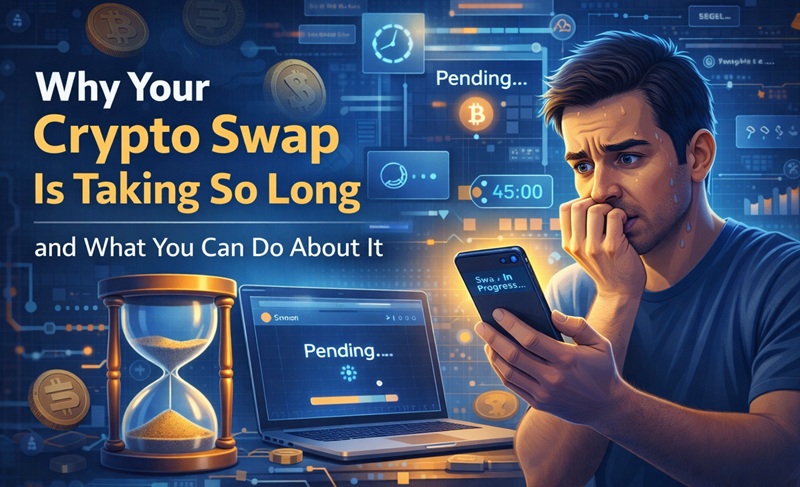
You sent your crypto; the swap is ‘in progress,’ and it’s been 45 minutes. Nothing has arrived. You’re refreshing your wallet every 30 seconds, and your brain is already writing the worst-case scenario. Sound familiar?
Most of the time, slow swaps aren’t a sign that anything has gone wrong. They’re a sign that the blockchain is doing its thing at its own pace. But understanding why swaps take the time they do and knowing what you can control makes the whole experience a lot less stressful.
How Long Swaps Actually Take
A typical crypto swap involves two separate blockchain transactions. One when you send your crypto to the platform, and another when the platform sends the swapped crypto to your wallet. Each of those transactions needs to be confirmed on its respective network. The swap itself, the actual conversion between the two coins, usually happens almost instantly once your deposit is confirmed. The waiting time is almost always about the blockchains, not the platform.
Bitcoin swaps tend to be slow because the Bitcoin network produces a block roughly every 10 minutes, and most services require at least 1 or 2 confirmations before processing. Ethereum is faster but can get expensive and slow during congestion spikes. Networks like Tron, Solana, and Litecoin are generally much quicker.
The Most Common Reasons for Delays
Delays don’t usually come down to one single issue. In most cases, it’s a mix of network activity, processing steps, and timing that slows things down. Some factors are predictable, others aren’t, but understanding where friction tends to happen gives you a better chance of avoiding it when speed actually matters.
Network congestion
Blockchains have limited capacity per block. When lots of people are transacting at the same time, transactions queue up and wait for their turn. This is especially common on Bitcoin and Ethereum during market volatility, major token launches, or NFT mints. You can’t control this, but you can time your swaps to avoid peak hours if speed matters to you.
Low fees on your outgoing transaction
When you send crypto from your wallet, you set (or your wallet sets automatically) a network fee that determines how quickly miners or validators will process your transaction. If that fee is too low, your transaction sits at the back of the queue. Some wallets default to low fees to save you money, which is great until you need speed. If your swap is time-sensitive, check your wallet’s fee settings and bump them up if needed.
Confirmation requirements
Different coins require different numbers of confirmations before a swap platform considers your deposit final. Bitcoin might need 1 to 3 confirmations. Some altcoins need more. This is a security measure to prevent double-spend attacks, and it’s not something you can skip. It’s just part of how blockchain security works.
What You Can Actually Do to Speed Things Up
- Choose faster networks when possible. If you’re swapping stablecoins, sending USDT on Tron instead of Ethereum can cut your wait from 15 minutes to under a minute. Same value, much less waiting.
- Check gas prices before you start. Tools like Etherscan’s gas tracker show current network fees for Ethereum. If fees are spiking, consider waiting an hour or two for them to come back down. Bitcoin mempool explorers do the same thing for BTC.
- Set an appropriate fee in your wallet. Don’t always go with the lowest option. Most wallets offer low, medium, and high fee tiers. For time-sensitive swaps, medium or high is worth the extra cost.
- Avoid peak hours. Weekday afternoons during US and European market hours tend to be the busiest times on most networks. Early mornings, late evenings, and weekends are usually calmer.
What to Do If a Swap Seems Stuck
First, don’t panic. Check your outgoing transaction on a block explorer using the transaction hash from your wallet. If it’s still unconfirmed, the delay is on the blockchain side, and you need to wait. If it’s confirmed but you haven’t received anything yet, check the swap status using the order ID or transaction hash you were given.
On Paysmaker, you can track your exchange directly. If something genuinely seems wrong after a reasonable amount of time, contact the platform’s support with your transaction hash or order ID so they can look into it.
In most cases, the answer is simply patience. Blockchains don’t have an “urgent” button. Transactions process is ordered based on fees and confirmation requirements, and that takes however long it takes.
Picking the Right Moment
If you swap regularly, you’ll start to develop a feel for when networks are busy and when they’re quiet. Sunday mornings are usually calm. Tuesday afternoons are usually hectic. Major crypto news events cause temporary congestion spikes. You don’t need to obsess over this, but a little awareness of timing can consistently shave minutes off your swaps and save you money on fees.
The next time a swap feels slow, check the block explorer before you worry. Nine times out of ten, your transaction is sitting in a queue waiting its turn, and it’ll come through just fine.